Every season, I feel like I end up standing in front of a closet full of clothes thinking, What am I going to wear?
So this fall, I decided to do something a little different.
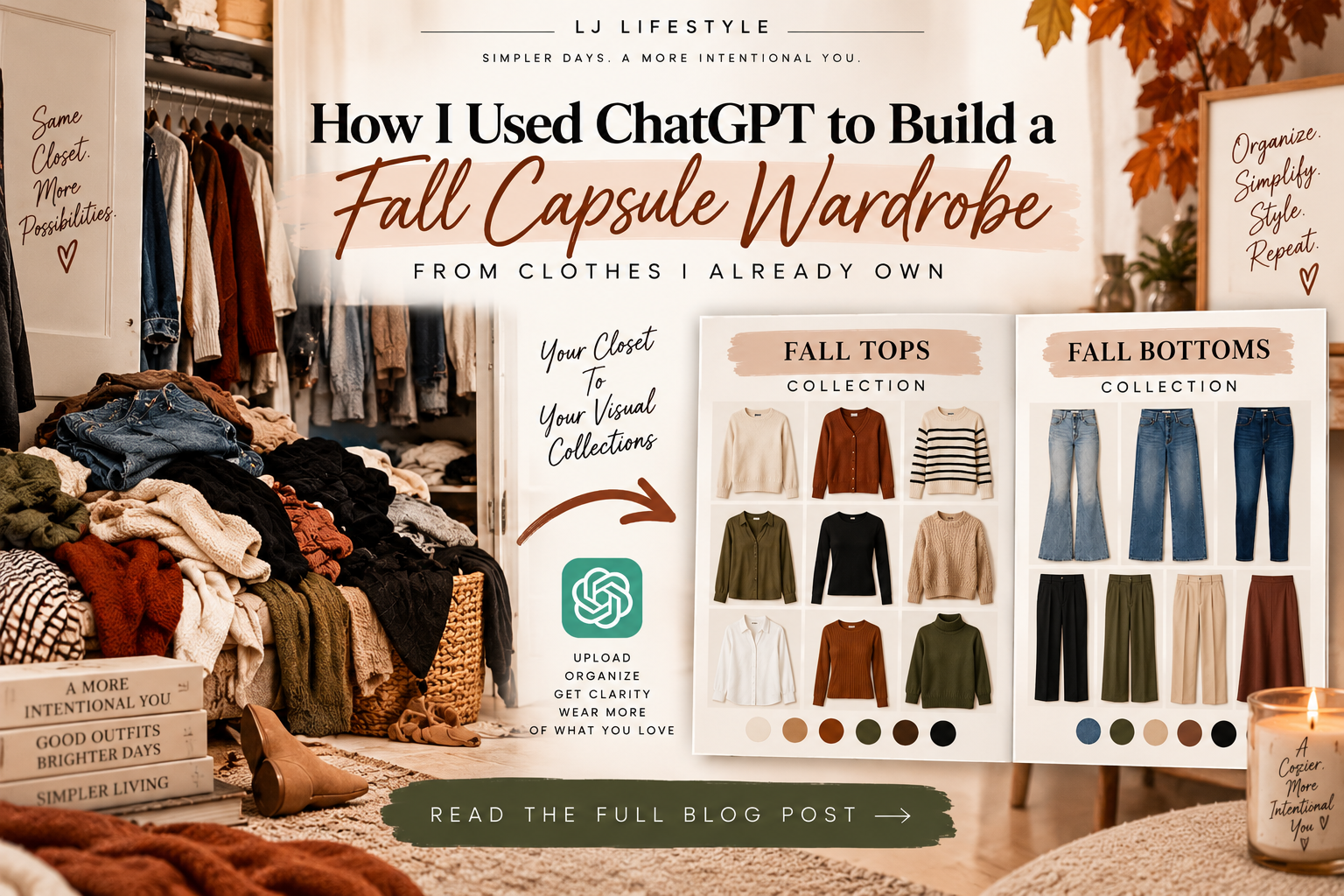
Instead of immediately buying more clothes, I created a visual capsule wardrobe using clothes I already own, Canva, and ChatGPT.
And honestly, I love this system because now I can actually see my wardrobe.
I can see what I already have, what works together, where I have gaps, and what might actually be worth buying. When I’m shopping, I don’t have to try to remember whether I already own something similar either.
I’m doing this for fall, but you can use the same system for any season. You could even do it for your kids’ wardrobes.
Here’s how I did it.
Step 1: Start With the Clothes You Already Own
Before you go shopping, start with what you have.
You don’t need to go out and build a brand-new “capsule wardrobe.” The whole point of this is to first figure out what you already own that works for the season.
I focused on pieces I realistically wear during fall and separated everything into categories like:
- Tops and sweaters
- Jeans and bottoms
- Dresses and sets
- Jackets and layers
- Shoes
- Accessories
Your categories don’t have to look exactly like mine. Organize your wardrobe in whatever way makes the most sense to you.
Step 2: Create Simple Collages in Canva
Next, take pictures of your clothes and use Canva to put similar items together into simple collages.
For example, you might create one Canva graphic containing all of your shoes, another with your tops, another with your bottoms, and another with your jackets.
These don’t need to be fancy. You’re basically giving ChatGPT an organized way to see several pieces from your wardrobe at once.
This is especially helpful if your ChatGPT plan has limits on image uploads or usage because you don’t have to upload dozens of individual clothing photos. Instead, you can combine multiple pieces into a few collection images.

Step 3: Turn Your Clothes Into Visual Collections With ChatGPT
Now comes the fun part.
Upload your Canva collage to ChatGPT.
But here’s the important part: tell ChatGPT that you want it to create an image.
If you simply ask ChatGPT to help you organize your wardrobe or find outfit ideas, you may get a written response. If you want a visual wardrobe collection like mine, you need to specifically ask for one.
Here’s a prompt you can copy:
“I’m creating a visual fall capsule wardrobe using clothes I already own. Using the exact items shown in my uploaded image, create a Pinterest-style capsule wardrobe collection that visually displays my pieces together. Keep the clothing recognizable and organized so I can use the finished image as a reference for my wardrobe.”
You can create one collection at a time.
I created separate visual collections for different parts of my wardrobe so I could easily see what I owned without digging through my closet.

Step 4: Save Your Collections to Your Phone
Once your collections are finished, save them somewhere you can easily find them.
I keep mine together in a folder on my phone.
Now, when I’m shopping online or standing in a store, I can pull up my wardrobe and actually see what I own.
Do I already have something similar?
Do I have shoes that will work with this?
Will this new piece work with several things I already own?
It makes shopping a lot more intentional.
Step 5: Use ChatGPT to Find the Gaps in Your Wardrobe
Once your visual collections are created, you can upload them back into ChatGPT and ask it to look at your wardrobe as a whole.
Try this:
“Looking at my fall wardrobe collections, what are the biggest gaps in my wardrobe? Don’t suggest things just for the sake of buying something new. Only recommend pieces that would make my existing wardrobe more versatile or help me create more outfits.”
This was one of my favorite parts because now you’re not randomly shopping for cute clothes.
You’re shopping for what your wardrobe actually needs.
Maybe you realize you have plenty of sweaters but need another versatile pair of pants. Maybe one jacket would work with half your closet. Or maybe you discover you don’t need to buy anything in a certain category at all.
Step 6: Let ChatGPT Help You Get Dressed
This is where having your wardrobe saved as visual collections gets really useful.
Whenever you don’t know what to wear, upload your collections and ask ChatGPT to create outfits using the clothes you already own.
And just like before, if you want to see the outfits instead of receiving a written list, specifically ask ChatGPT to create a visual outfit board.
For example:
“Using only the pieces from my uploaded wardrobe collections, create a Pinterest-style outfit board showing five comfortable fall outfits for school pickup and errands.”
Or:
“Using only my wardrobe collections, create a visual outfit board with three polished fall outfits I could wear to the office.”
You can do this for almost anything:
Date night. Church. Brunch. Work. Vacation. School pickup. Meetings. Family activities. Everyday errands.
You can even ask ChatGPT to show you several different ways to style one particular piece.
And if you don’t like an outfit it creates, tell it. Ask it to change the shoes, swap the jacket, make the outfit more casual, make it dressier, or give you completely different combinations.
Your Closet, Just More Organized
You don’t have to throw half your closet away or buy an entirely new wardrobe to create a capsule wardrobe.
For me, this was really about creating a visual inventory of what I already own and making my wardrobe easier to use.
Now I can see my clothes, identify the actual gaps, shop more intentionally, and even get help putting together outfits when I don’t feel like figuring it out myself.
And once you’ve created your collections, you can repeat this system for winter, spring, summer, vacations, work clothes, your kids’ wardrobes, or whatever makes sense for your life.
Start with what you have. See what works. Find the real gaps. Then shop intentionally. Because sometimes you don’t actually need more clothes. You just need a better way to see what you already have.


Leave a Reply